If you use Instamojo to process payments, you face a common challenge: Instamojo provides transaction data but not bulk invoice downloads. You're stuck downloading invoices one-by-one or creating them manually—a massive time drain for any business processing hundreds of transactions monthly.
CSV2Invoice solves this problem instantly. Upload your Instamojo CSV export and get professional, compliant PDF invoices in a single bulk file, ready for your accounting system and customers. Every invoice includes sequential numbering, proper VAT formatting, and all legally required fields.
Takes less than 5 minutes to set up your first import.
How to Bulk Convert Instamojo CSV to Invoices in 4 Steps
The entire process is built around speed and accuracy. In four simple steps, you can turn your Instamojo CSV exports into a stack of compliant PDF invoices.
Step 1: Export CSV Data
Export your transaction data as CSV from Instamojo. Navigate to Check your Instamojo dashboard for CSV export options.
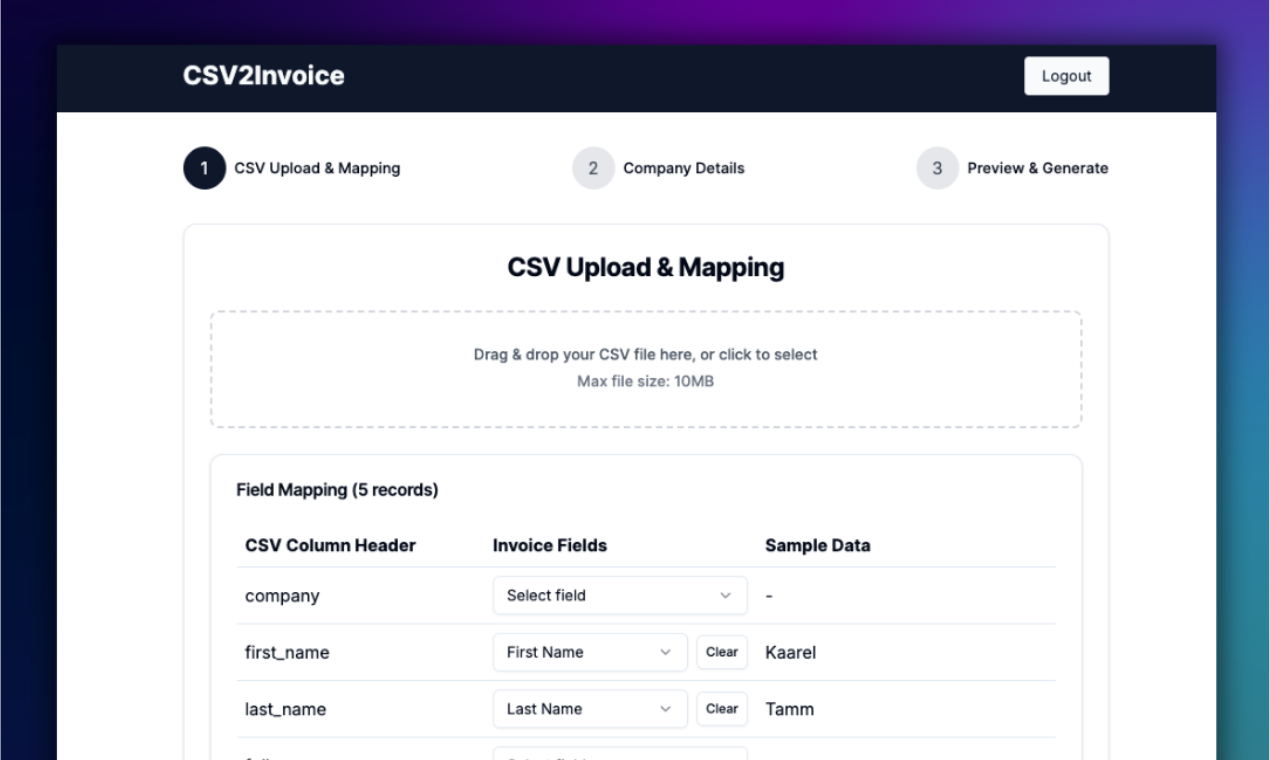
Step 2: Upload & Map Fields
Upload your CSV and match its columns to invoice fields—our system remembers your setup for next time. CSV2Invoice automatically detects Instamojo column headers and maps them to the required invoice fields.
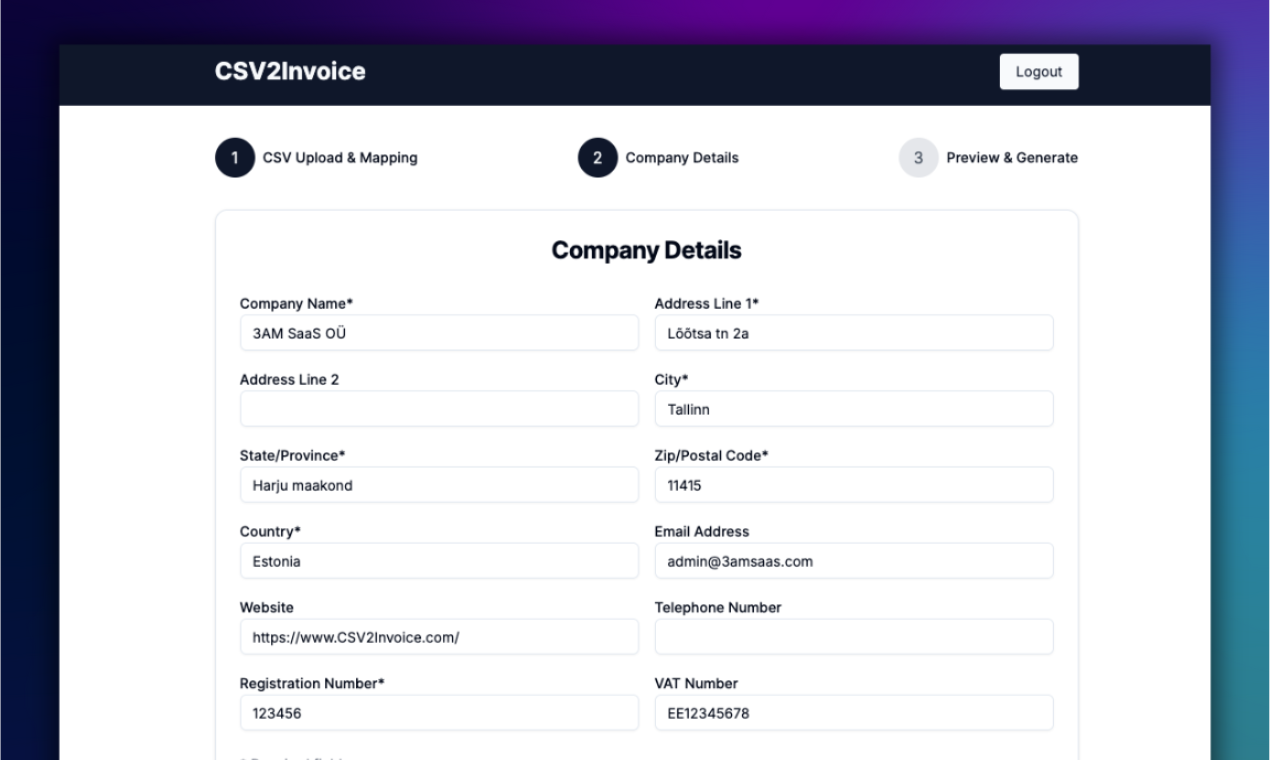
Step 3: Add Company Details
Enter your business info once—like name, VAT number, and address—to brand every invoice automatically. This information will be saved for future invoice generations.
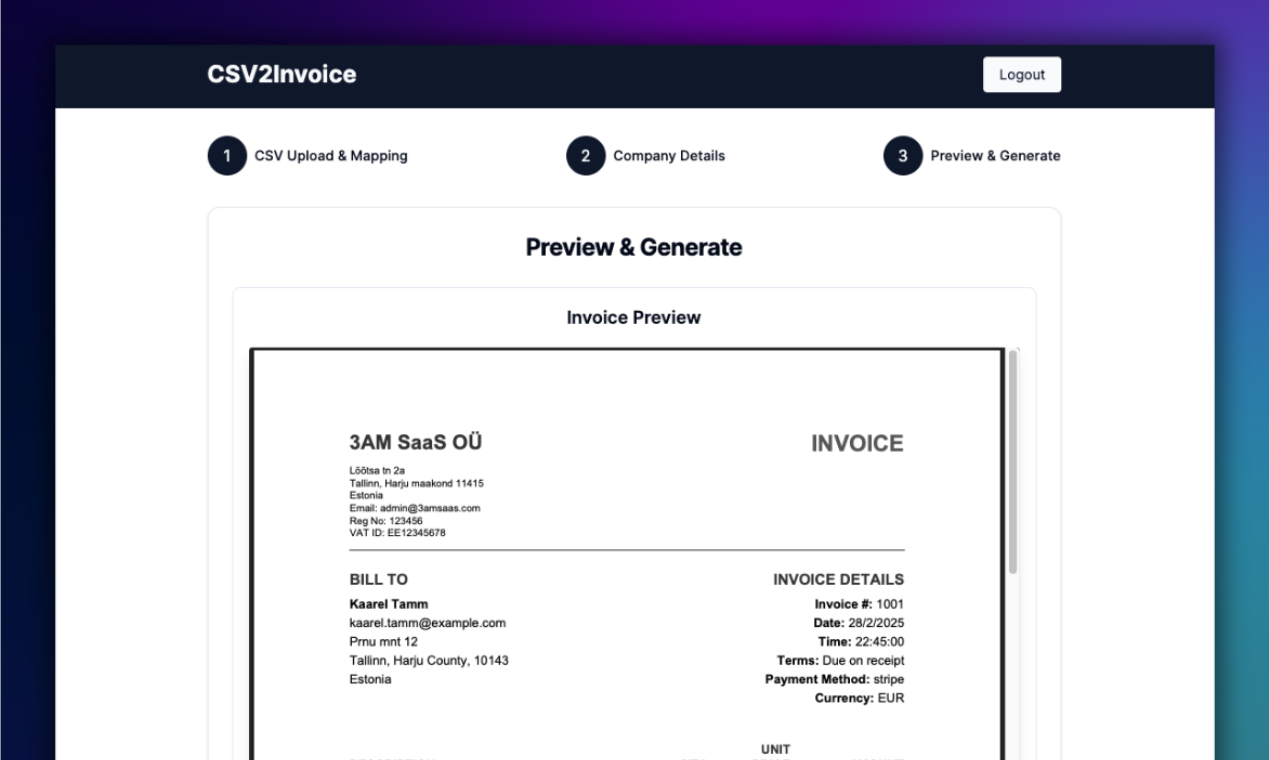
Step 4: Download Invoices
Generate pro-formatted invoices as PDFs with one click, delivered in a handy ZIP file. Each invoice includes sequential numbering and is formatted to meet EU legal requirements.
What CSV2Invoice Does for Instamojo Users
CSV2Invoice is focused on two things: Bulk Efficiency and Compliance Fixes.
Instant Bulk Generation
Convert hundreds or thousands of Instamojo CSV records into valid PDF invoices in minutes. No more clicking through individual transactions or manual data entry.
Sequential Invoice Numbering
Automatically generates the legally required continuous invoice numbering sequence, a feature missing in Instamojo's raw reports. EU tax authorities require this for audit compliance.
Complete Audit Trail
Every PDF contains all the necessary data points from the original Instamojo CSV for full transparency—customer details, transaction IDs, amounts, dates, and VAT calculations all in one document.
Privacy-First Design
We don't save your field mappings or invoice data long-term—nothing hits our database. Your sensitive business and customer data is processed in your browser and immediately discarded after generation.
Why Instamojo Users Need CSV2Invoice
Instamojo-Specific Details
Export location: Check your Instamojo dashboard for CSV export options
Key fields needed: Transaction ID, Date, Amount, Customer Name, Customer Email, Product/Service Description
What Instamojo is missing: Sequential invoice numbering, EU-compliant formatting, proper invoice document structure
EU compliance notes: Instamojo provides transaction data but not formatted EU-compliant invoices with sequential numbering and proper VAT display.
Start Converting Instamojo CSV to Invoices Today
Start your free trial—7 days on us. Generate unlimited invoices.
Start Your Free Trial →Other Payment Platforms We Support
CSV2Invoice works with 209+ platforms. If you use multiple payment processors, we've got you covered: